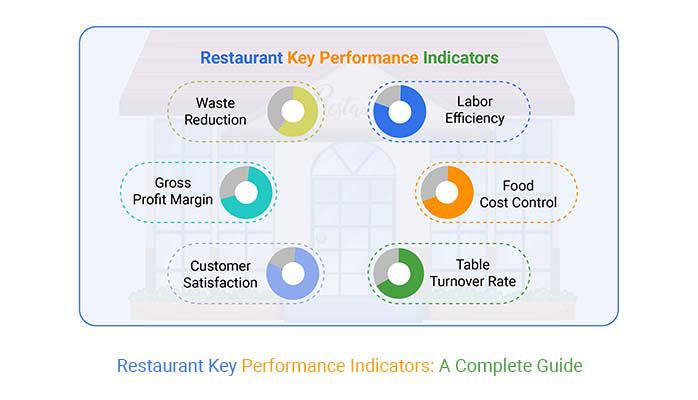
I might have caught you off guard, but: Are you tracking the right Restaurant key performance indicators? A full dining room might look successful, but without accurate business metrics, profit margins can quietly shrink.
Numbers tell stories that managers often overlook. Think about this. The cost of food waste alone adds up to billions annually across the industry. Without tracking performance metrics, owners often fail to notice how much revenue is slipping through their kitchens. Customers may keep coming through the door, but expenses behind the scenes can eat profits alive.
Restaurant staff turnover averages nearly 75% annually. This means constant hiring, training, and inefficiency—unless you’re tracking the right Key Performance Indicators. These metrics allow you to pinpoint problems and improve retention, turning a potential drain into an opportunity.
Numbers don’t lie. But they need to take the right approach. A cluttered spreadsheet filled with random data won’t keep a restaurant afloat. It’s not about more data. It’s about the right data, used wisely.
Success isn’t accidental. It’s measured. And in restaurants, measurement starts with metrics that reflect reality, not assumptions. The smartest operators know this truth. Do you? Start identifying and tracking your key performance indicators to ensure your restaurant’s success.
Let me guide you…
Definition: Restaurant key performance indicators are measurable values showing how well a restaurant meets its goals. They clarify profit, service, and efficiency. Think of them as guideposts for what works and what needs attention. Owners can track sales, costs, staff performance, and customer satisfaction.
With smart KPIs, restaurants can set clear targets and measure progress. These numbers simplify decisions and reduce guesswork. Without them, managers make assumptions.
Successful restaurants use indicators and financial metrics to stay competitive. They turn operations into data-driven strategies for results.
A busy restaurant may appear to run smoothly, but appearances can be deceiving. If you don’t track the right numbers, small problems quickly become big ones. So, measure your restaurant KPIs to see what’s really happening and make decisions based on facts, not guesses.
Here’s what you gain from measuring KPIs:
Imagine running a restaurant without knowing how much profit each dish makes or how happy your customers really are. Decisions would feel more like guesses than strategy. Restaurant KPIs remove that uncertainty. They make sure every effort adds up to real results.
Here are some examples to use:
Running a restaurant is about more than cooking meals. It is about tracking numbers that show where you win and where you lose. KPIs provide clarity and direction. With the right data, you can make more informed choices, reduce waste, and increase profits. Add visuals, such as KPI graphs, and you get a story that your whole team can understand.
You can start working with these 10 KPIs:
Managing a restaurant without tracking the numbers is like flying without a compass. You might get it right, but chances are slim. That is why key performance indicators matter. They reveal what is working and what is draining profits.
Data visualization makes those insights clear, but Excel’s basic charts often fall short of expectations. This is where ChartExpo steps in. It transforms raw numbers into visuals that are simple, smart, and easy to understand.
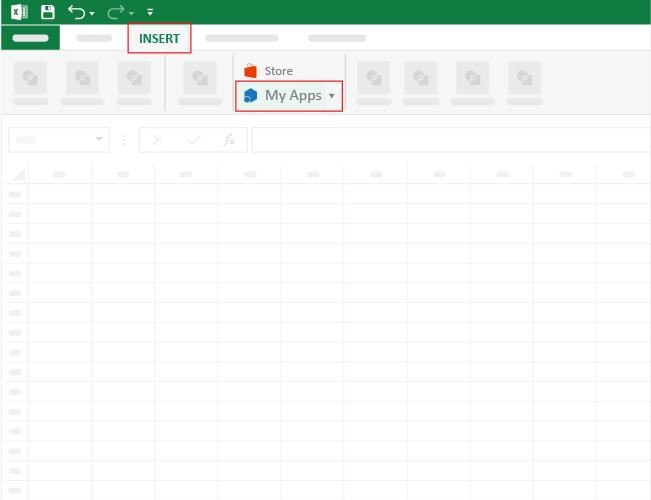
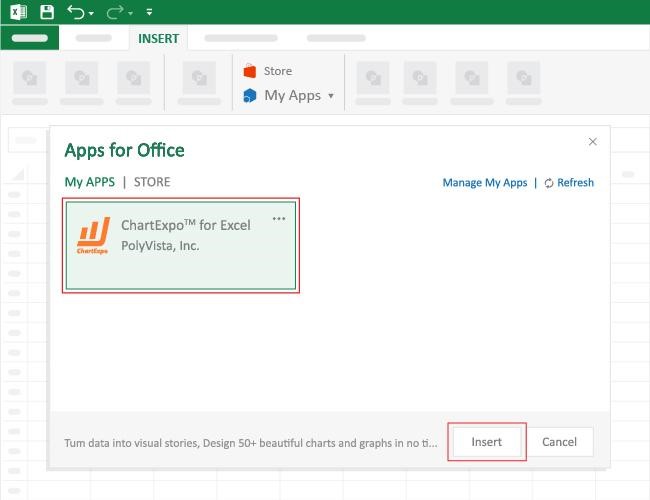
How to Install ChartExpo in Excel?
ChartExpo charts are available both in Google Sheets and Microsoft Excel. Please use the following CTAs to install the tool of your choice and create beautiful visualizations with a few clicks in your favorite tool.
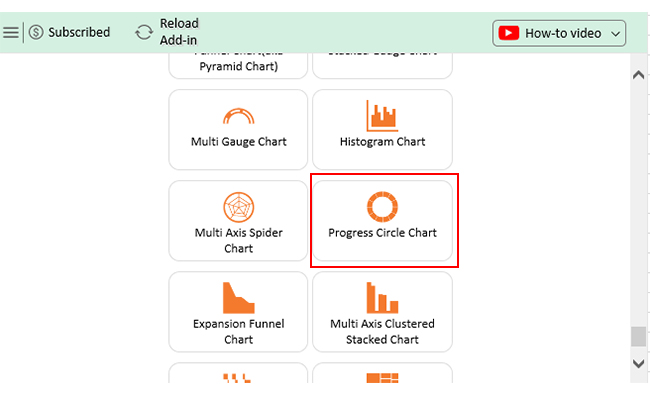
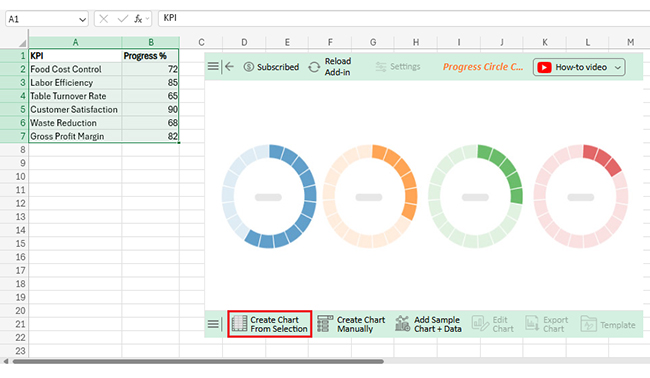
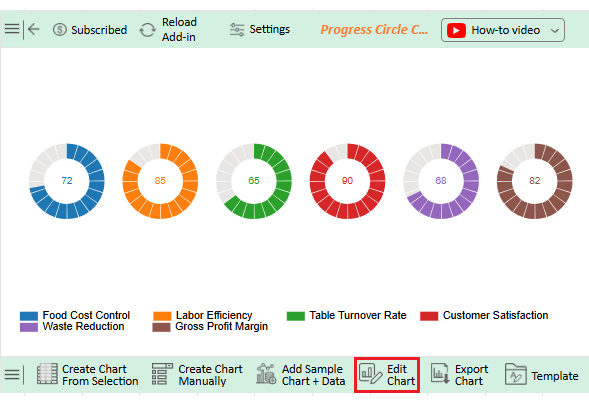
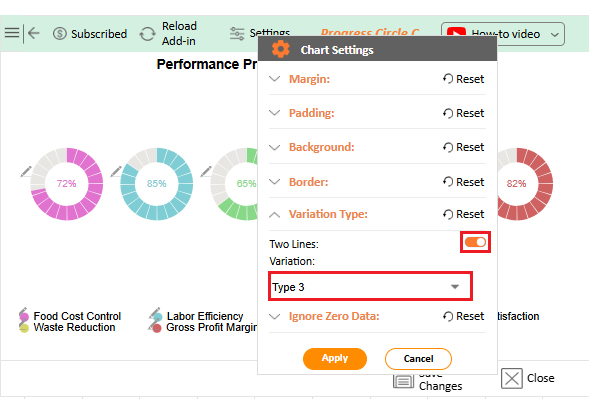
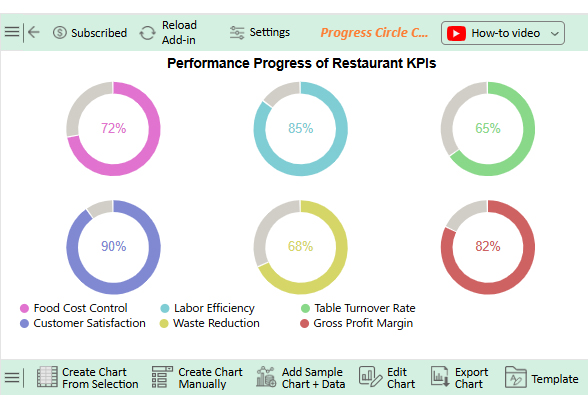
Let’s analyze the restaurant KPIs sample data in Excel using ChartExpo.
|
KPI |
Progress (%) |
| Food Cost Control | 72 |
| Labor Efficiency | 85 |
| Table Turnover Rate | 65 |
| Customer Satisfaction | 90 |
| Waste Reduction | 68 |
| Gross Profit Margin | 82 |
A restaurant’s success depends on more than food and service: it rests on understanding the numbers that drive results. Key Performance Indicators, or KPIs, make these figures measurable and quantifiable. While KPIs offer numerous advantages, they also present several challenges.
Let’s find out:
Numbers tell the truth about how a restaurant performs. But numbers alone are not enough. To make KPIs useful, they need structure, consistency, and focus. Following these best practices ensures your KPIs drive improvement instead of confusion:
The five key metrics used to measure restaurant performance are sales per labor hour, food cost percentage, table turnover rate, customer retention rate, and gross profit margin. These reveal efficiency, profitability, and guest satisfaction. Together, they clearly show overall restaurant performance.
Success in restaurants is measured by more than how busy the dining room feels. Numbers bring clarity. They indicate whether growth is genuine or if full tables are masking underlying problems. Tracking the right business management KPIs is how owners gain control.
Each KPI provides a distinct perspective on performance. Some reveal efficiency while others show guest satisfaction. When combined, they create a full picture of the business. That picture is sharper when supported by KPI graphs instead of raw spreadsheets.
Costs remain one of the hardest areas to manage. From labor to inventory, small leaks quickly drain profits. Comparing restaurant data with logistics KPIs from supply chains helps identify waste and find better sourcing options.
Guests matter most. KPIs tied to retention, table turnover, and satisfaction highlight whether people are returning. Strong numbers in these areas confirm that service and food quality are aligned with customer expectations.
But tracking numbers alone is not enough. The insights need to be clear and actionable. Excel and Sheets can start the process, yet their charts often fall short. Visualization tools make analysis faster and easier for everyone on the team.
That is why ChartExpo becomes so valuable. It transforms raw KPIs into engaging visuals that tell the story instantly. Better graphs lead to more effective conversations and informed choices.
So, don’t wait. Install ChartExpo today to start turning your restaurant KPIs into a guide for stronger decisions and lasting success.