Categories

Operational reporting: What does it really mean for a business trying to stay ahead each day? At its core, it’s about giving decision-makers the information they need, in real time, to act fast and smart.
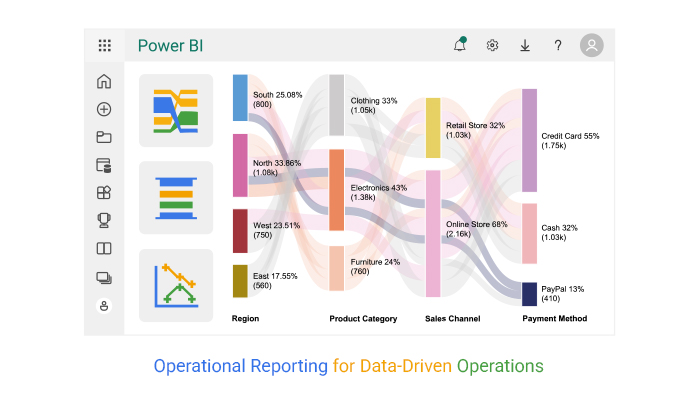


A recent survey by Deloitte found that 67% of executives rely heavily on data dashboards for daily decision-making. Without clear reports, many companies face delays, missed opportunities, or costly mistakes. Numbers may be everywhere, but without structure, they don’t tell a story.
This is where tools such as Power BI and ChartExpo change the game. They transform raw data into clear, visual representations that anyone can understand.
Think of a plant manager monitoring machine downtime or a finance officer reviewing expenses. Operational reporting makes such tasks faster, sharper, and more reliable. In fact, Gartner reported that businesses using advanced BI reporting tools are 30% more likely to achieve their performance targets.
The beauty of reporting lies in flexibility. You can generate management reporting dashboards for day-to-day tracking or drill deeper into patterns with pivot reporting. Instead of drowning in spreadsheets, leaders see trends, spot risks early, and guide teams with clarity. This isn’t about replacing human judgment. It’s about strengthening it with evidence that speaks plainly.
Operational reporting is no longer optional. It’s the difference between reacting slowly and leading with confidence. With Power BI and ChartExpo, the gap between raw data and smart decisions disappears.
This guide will walk you through how to make that shift a reality. Let’s get started…
Definition: Operational reporting is the process of turning raw data into clear, actionable insights. It focuses on day-to-day activities, helping teams track performance and spot issues quickly.
Unlike strategic reports, operational reporting highlights immediate actions rather than long-term planning. Businesses use it to monitor sales, expenses, and productivity in real-time. Modern operational reporting tools make this faster and easier.
Reports can be simple summaries or detailed dashboards. A data reporting approach ensures accuracy and consistency across departments. From tracking sales operations reports to managing costs, operational reporting keeps businesses informed and responsive. This, in turn, drives smarter decisions every single day.
Every business runs on decisions. Some are small, while others change the direction of the company. Ops reporting makes those choices faster and smarter. Without it, leaders rely on guesswork. With it, they act with confidence. Whether through executive reporting or an analytical report, the difference is clear: facts replace assumptions.
How?
Operational reporting is most effective when it provides clear, timely, and actionable information. Whether reviewing a business operations report or comparing trends through a Power BI report, the goal remains the same: Better decisions backed by facts.
Take note of these points to make this a reality:
Operations run on data, and reports are the heartbeat that keeps everything in check. Operational reporting takes raw numbers and turns them into insights you can act on right away. Whether it’s tracking money, stock, or customer issues, the right reports keep businesses moving forward with clarity:
Operational reporting tools turn complex data into clear insights. They help teams track daily performance and act quickly.
Tools like Power BI, ChartExpo, Tableau, and Looker are popular choices. Each provides dashboards, charts, and visuals that make data easy to read. A market intelligence report built in these tools can reveal trends competitors might miss. Moreover, a market research report can provide detailed insights into customer behaviors.
These tools eliminate guesswork and enable faster, more informed decision-making. They also support automation, saving time and cutting errors. With the right tool, operational reporting becomes less about numbers and more about action.
Every industry runs on numbers, but raw data alone doesn’t drive results. That’s where operational reporting steps in. It turns complex information into clear insights that help teams act fast. Whether through management reporting or a detailed Power BI report, businesses can track performance and make sharper decisions.
Here are some examples to help you get started:
Operational reports are like the heartbeat of any business. They tell you what’s working, what’s lagging, and where action is needed. Power BI makes these reports look sharp, but sometimes its visuals feel limited.
Data without the right story can be overwhelming, and that’s where ChartExpo steps in. It transforms raw data into clear, meaningful visuals that drive action, not confusion.
Why use ChartExpo to analyze Operational Reporting?
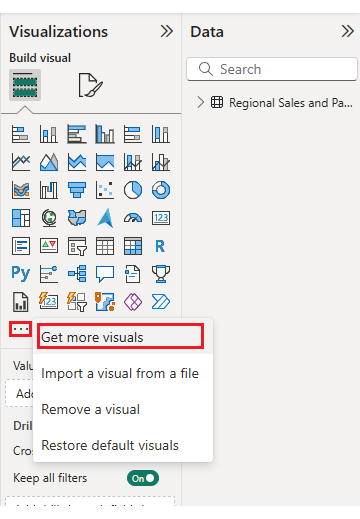
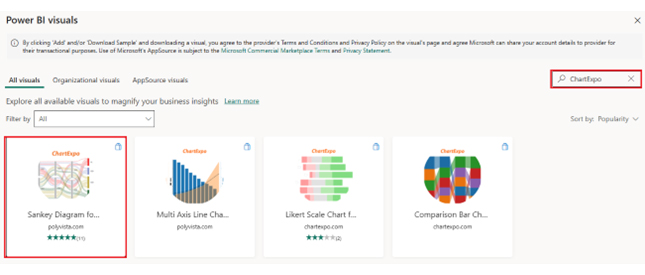
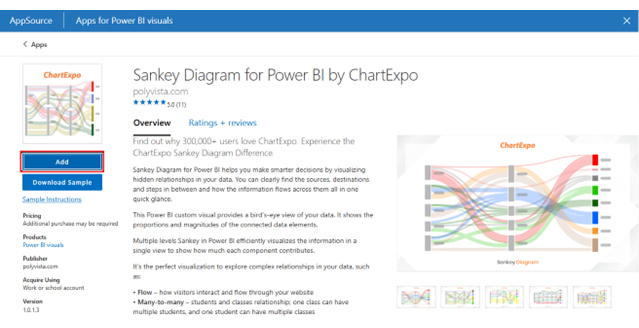
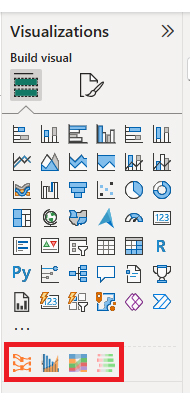
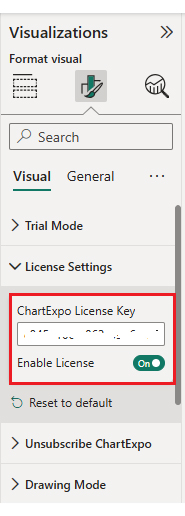
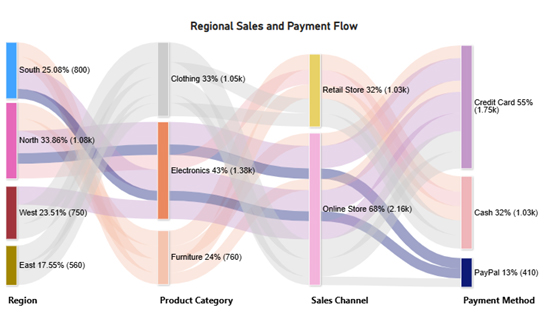
In this guide, I’ll walk through how to build and customize four impactful custom visuals in Power BI: Sankey Chart, Comparison Bar Chart, Multi-Axis Line Chart, and Likert Chart. Each one will come with simple, step-by-step instructions so you can explore your data more clearly and interactively:
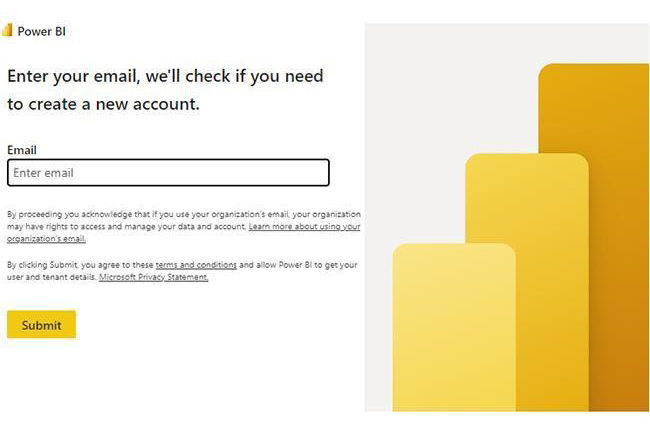
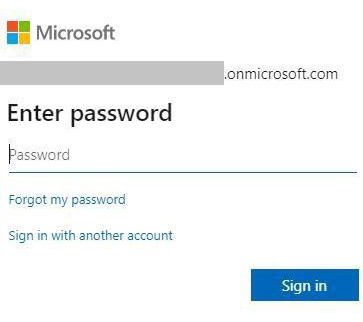
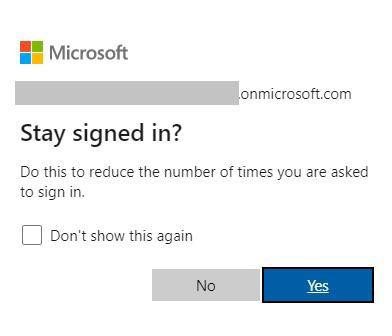
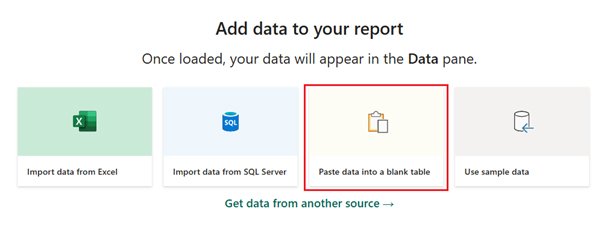
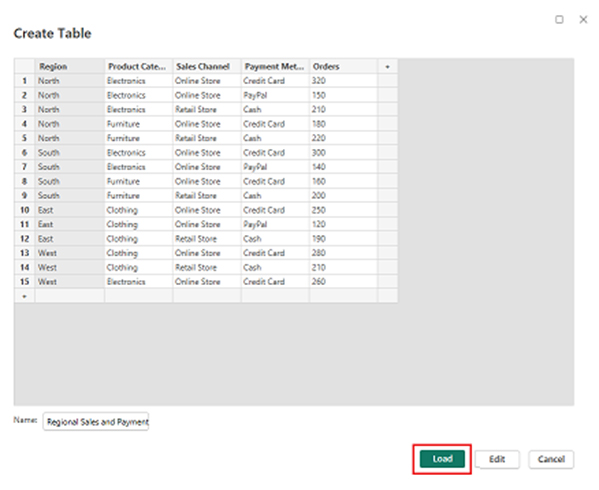
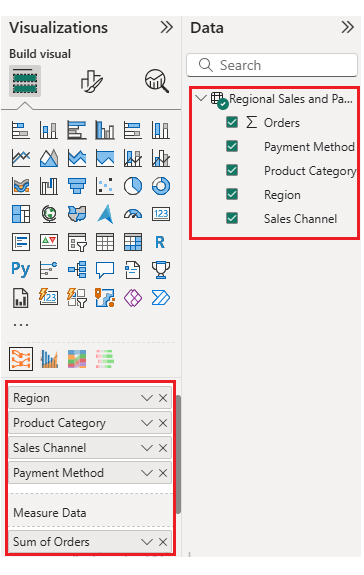
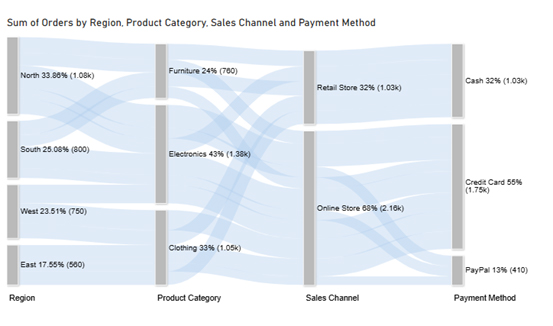
Now, assume we have the following data for a Sankey Chart:
| Region | Product Category | Sales Channel | Payment Method | Orders |
| North | Electronics | Online Store | Credit Card | 320 |
| North | Electronics | Online Store | PayPal | 150 |
| North | Electronics | Retail Store | Cash | 210 |
| North | Furniture | Online Store | Credit Card | 180 |
| North | Furniture | Retail Store | Cash | 220 |
| South | Electronics | Online Store | Credit Card | 300 |
| South | Electronics | Online Store | PayPal | 140 |
| South | Furniture | Online Store | Credit Card | 160 |
| South | Furniture | Retail Store | Cash | 200 |
| East | Clothing | Online Store | Credit Card | 250 |
| East | Clothing | Online Store | PayPal | 120 |
| East | Clothing | Retail Store | Cash | 190 |
| West | Clothing | Online Store | Credit Card | 280 |
| West | Clothing | Retail Store | Cash | 210 |
| West | Electronics | Online Store | Credit Card | 260 |
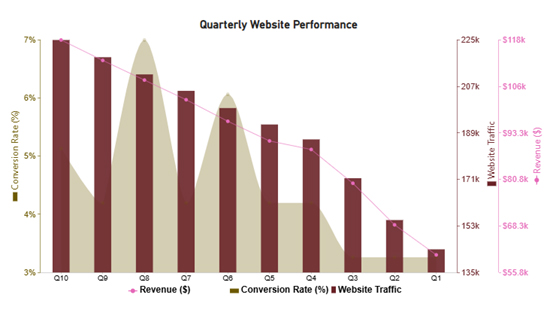
Now, we will discuss the second chart (Multi Axis Line Chart) in our report:
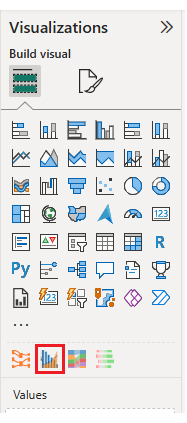
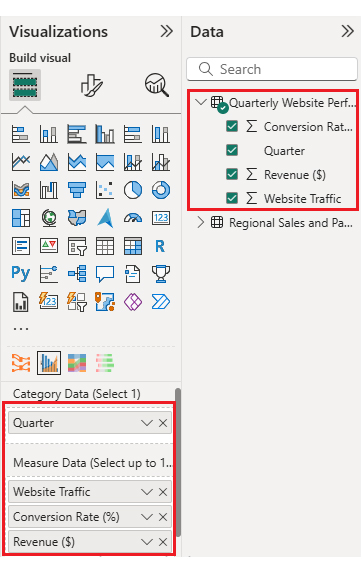
Let’s say we have the following data for a Multi Axis Line Chart:
| Quarter | Website Traffic | Conversion Rate (%) | Revenue ($) |
| Q1 | 143,700 | 3 | 60,500 |
| Q2 | 155,100 | 3 | 68,600 |
| Q3 | 171,400 | 3 | 79,800 |
| Q4 | 186,500 | 4 | 88,900 |
| Q5 | 192,300 | 4 | 91,200 |
| Q6 | 198,700 | 6 | 96,500 |
| Q7 | 205,400 | 4 | 102,300 |
| Q8 | 211,800 | 7 | 107,600 |
| Q9 | 218,500 | 4 | 112,900 |
| Q10 | 225,200 | 5 | 118,400 |
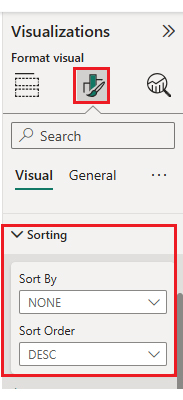
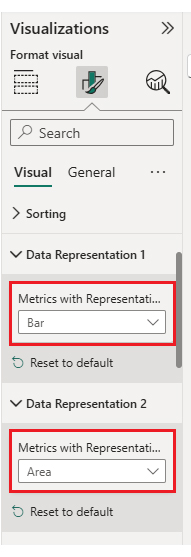
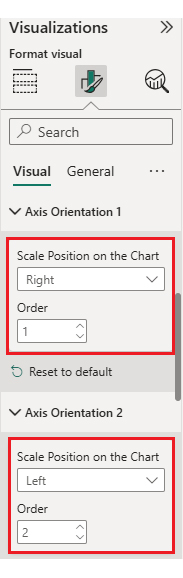
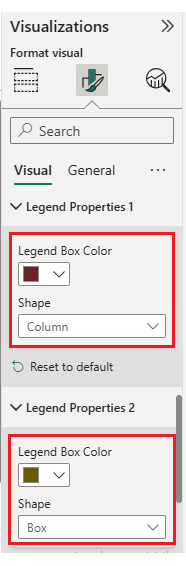
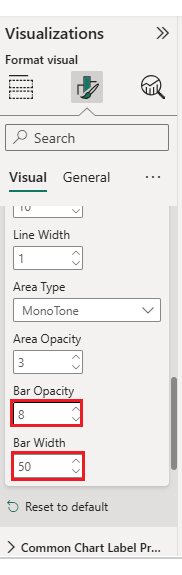
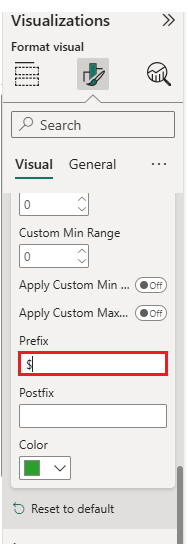
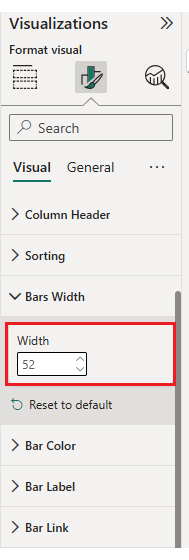
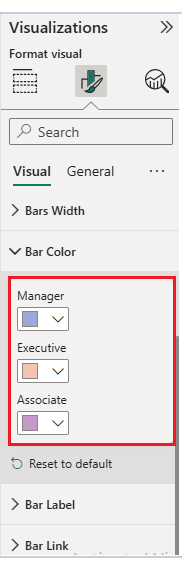
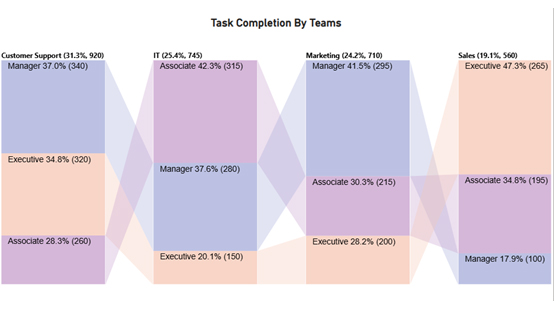
Now, we will add the third chart (Comparison Bar Chart) to our report:
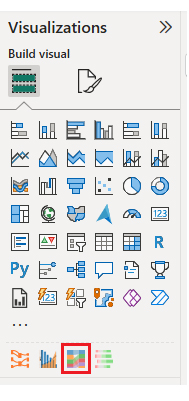
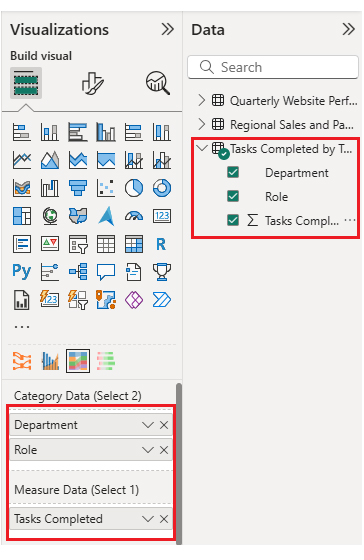
Consider we have the following data for a Comparison Bar Chart:
| Department | Role | Tasks Completed |
| Sales | Manager | 100 |
| Sales | Executive | 265 |
| Sales | Associate | 195 |
| Marketing | Manager | 295 |
| Marketing | Executive | 200 |
| Marketing | Associate | 215 |
| IT | Manager | 280 |
| IT | Executive | 150 |
| IT | Associate | 315 |
| Customer Support | Manager | 340 |
| Customer Support | Executive | 320 |
| Customer Support | Associate | 260 |
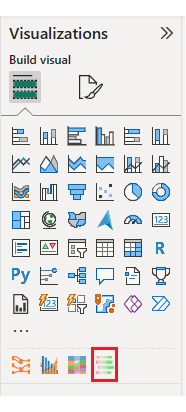
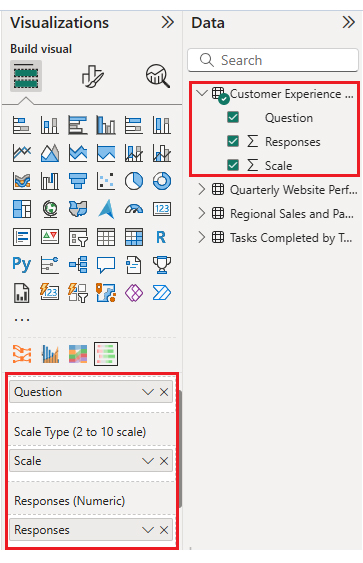
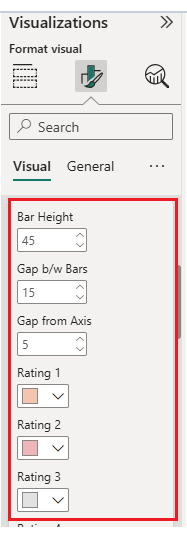
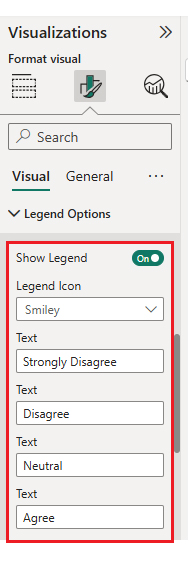
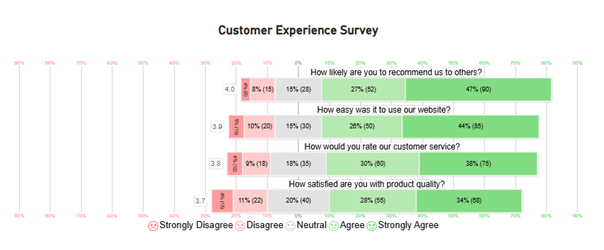
Now, we will add the fourth chart (Likert Scale Chart) to our report.
Consider we have the following data for the Likert Chart:
| Question | Scale | Responses |
| How satisfied are you with product quality? | 1 | 15 |
| How satisfied are you with product quality? | 2 | 22 |
| How satisfied are you with product quality? | 3 | 40 |
| How satisfied are you with product quality? | 4 | 55 |
| How satisfied are you with product quality? | 5 | 68 |
| How would you rate our customer service? | 1 | 12 |
| How would you rate our customer service? | 2 | 18 |
| How would you rate our customer service? | 3 | 35 |
| How would you rate our customer service? | 4 | 60 |
| How would you rate our customer service? | 5 | 75 |
| How easy was it to use our website? | 1 | 10 |
| How easy was it to use our website? | 2 | 20 |
| How easy was it to use our website? | 3 | 30 |
| How easy was it to use our website? | 4 | 50 |
| How easy was it to use our website? | 5 | 85 |
| How likely are you to recommend us to others? | 1 | 8 |
| How likely are you to recommend us to others? | 2 | 15 |
| How likely are you to recommend us to others? | 3 | 28 |
| How likely are you to recommend us to others? | 4 | 52 |
| How likely are you to recommend us to others? | 5 | 90 |
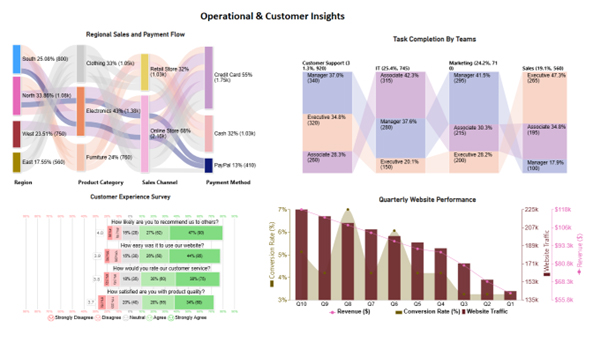
You can also bring these charts together into a dashboard. This allows you to arrange them in a clear and structured way, making your insights more impactful. By using space wisely and adding interactivity, you create an engaging experience for viewers. A well-designed layout not only captures attention but also turns raw data into a compelling visual story.
Once the charts are placed, your dashboard should look something like this.
Sales don’t happen by chance. They happen by design. Sales operations reports give teams a clear view of pipelines, quotas, and performance. They turn scattered numbers into insights that drive more intelligent decisions. With tools like BI reporting, you can spot trends, fix issues, and push growth. These reports aren’t just charts. They’re a roadmap to hitting targets faster and smarter:
A business operations report is only useful if implemented thoughtfully. Done right, it guides smarter decisions and improves workflows. Using tools like management reporting or analytical reports helps teams track performance and act quickly.
Follow these best practices to make your reports dance with insights:
Operational reports come in several types, each serving a specific purpose:
An operational report contains key business data. It includes sales figures, production metrics, inventory levels, and financial summaries. Customer interactions and service metrics are also tracked. The report may highlight trends, performance gaps, and actionable insights for daily decision-making.
Operational reporting transforms raw data into clear insights. It helps businesses track performance and make informed decisions more quickly. Using tools like Power BI, teams can visualize trends and spot issues early.
ChartExpo enhances Power BI by offering ready-to-use charts. It makes complicated data easy to understand. With management reporting dashboards, even non-technical users can quickly interpret results.
Reports, such as daily transactions, financial operations, and customer service, provide a comprehensive view of a business’s health. They highlight gaps and opportunities. With consistent reporting, teams stay aligned and focused on priorities.
Advanced features such as pivot reporting allow users to slice and dice data. This helps uncover hidden patterns and enhances forecasting accuracy. Decision-makers gain clarity and confidence in their actions.
Automation saves time and reduces errors. Scheduled updates keep reports fresh and reliable. Combined with ChartExpo, the process becomes seamless. Teams can focus on analysis, not formatting.
Operational reporting is no longer optional. It drives efficiency, accountability, and profitability. Install ChartExpo today and start turning your data into actionable insights. Build dashboards, visualize trends, and make smarter decisions. Your business will start benefiting immediately.
How much did you enjoy this article?



Calculate accounts receivable turnover ratio to measure credit collection speed, improve cash flow, and strengthen your financial strategy. Read on!

Change Management KPIs are the key to tracking adoption, performance, and ROI during transitions. Find out which metrics matter. Read on!

Data collection methods and techniques determine the quality of every insight you act on. Explore key approaches for gathering reliable data. Read on!




