Categories

Money slips away when the record is fuzzy. A spreadsheet that captures every purchase makes spending hard to ignore.
Dates, categories, and amounts sit in plain view, and totals update as entries land. No drama. Just numbers that can be filtered, grouped, and compared.
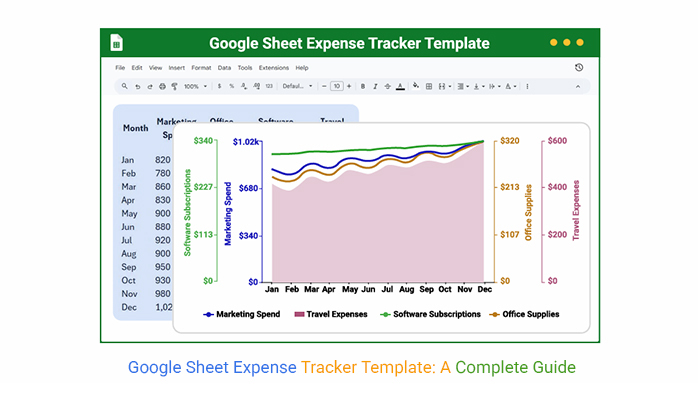
This guide walks through a practical tracker built in Google Sheets: how to lay out columns, add formulas, and use charts to spot trends. It also shows how to review category totals and spot spikes early.
Keep the routine simple and consistent, and the file becomes a daily checkpoint instead of a once-a-month panic with clear examples.
Definition: A Google Sheet Expense Tracker Template is a ready-built worksheet that records income and spending in a consistent layout. It uses columns and formulas to keep every transaction readable and totals current.
Entries can be logged as they happen, tagged with a category, and rolled up into daily, weekly, or monthly views. With rules and summaries in place, the sheet becomes a logbook and a quick diagnostic tool.
Handwritten notes and scattered receipts invite gaps. A tracker in Sheets keeps the process boring, which is the goal, because boring data gets entered and checked. A Google Sheet Expense Tracker Template keeps definitions consistent.
Reasons it earns its keep:
A Google Sheet expenses tracker keeps the money story in one place, with totals that refresh on every edit and history that can be audited in seconds.
A Google Sheet Expense Tracker Template is less about fancy design and more about clean inputs. The right fields, a few guardrails, and a summary view keep the sheet usable after week three.
With these pieces in place, an expense tracker template in Sheets stays consistent and easier to review as categories change and rows expand.
A Google Sheet Expense Tracker Template relies on simple mechanics in Sheets. Formulas, validation, and pivots handle totals if the setup stays consistent.
Tools that matter most:
The same layout can serve personal budgets, small teams, or project work. The examples below show chart patterns for faster reviews.
Example # 1:
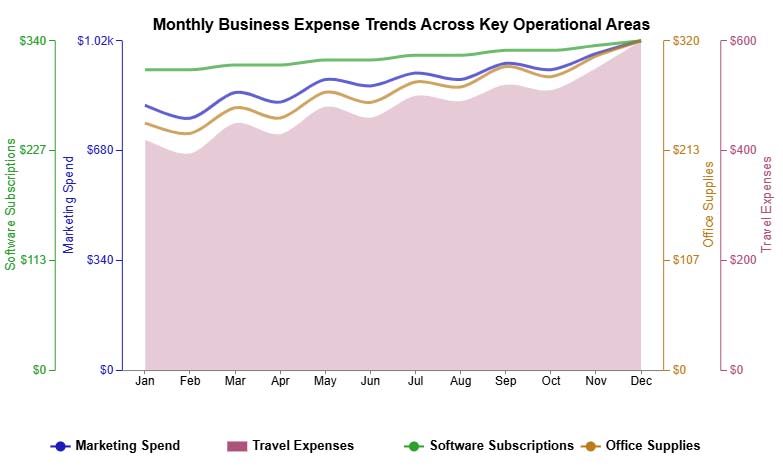
A multi-axis line view is useful when several cost lines move at once. It shows month-to-month shifts across a business expenses Spreadsheet without hiding one category behind another.
Example # 2:
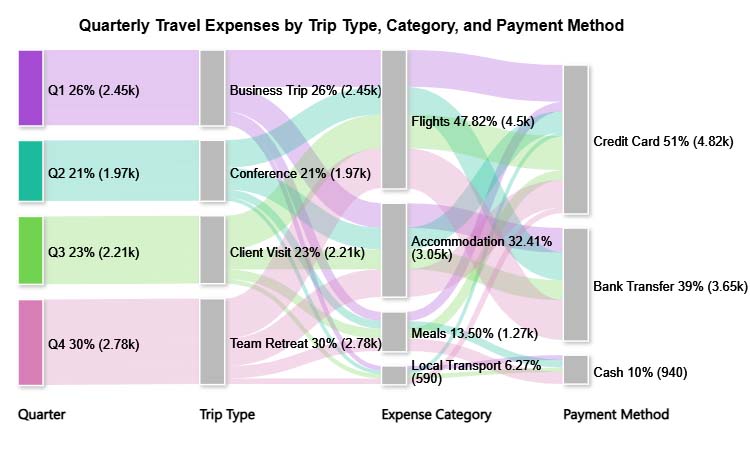
A Sankey diagram in Google Sheets works when the question is, “Where did it go?” Using a travel itinerary template, it maps money from sources to categories in a way that makes leakage obvious.
Example # 3:
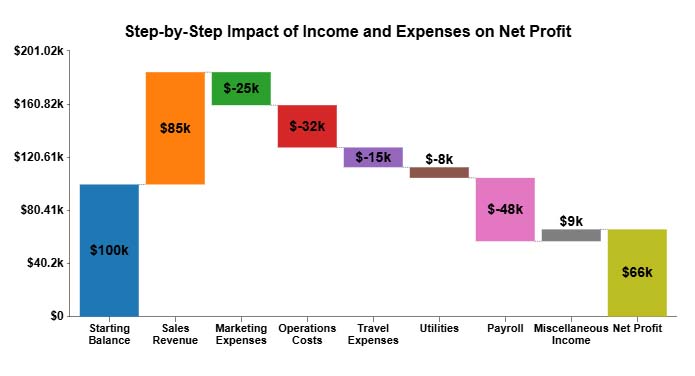
A Waterfall Chart view breaks a total into a running story. Each charge pushes the balance up or down, which makes it easier to explain how a budget ended where it did.
Example # 4:
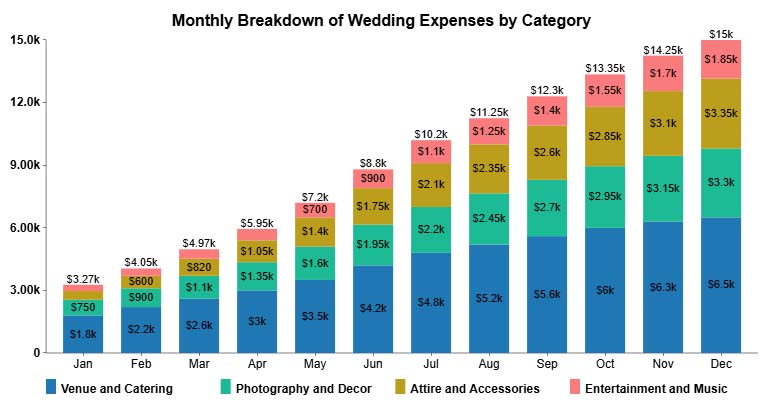
Stacked Column Charts are built for category mix. For wedding planning, they show how costs stack up over time and help keep a wedding budget template in a Google Sheet grounded in actual spend.
Example # 5:
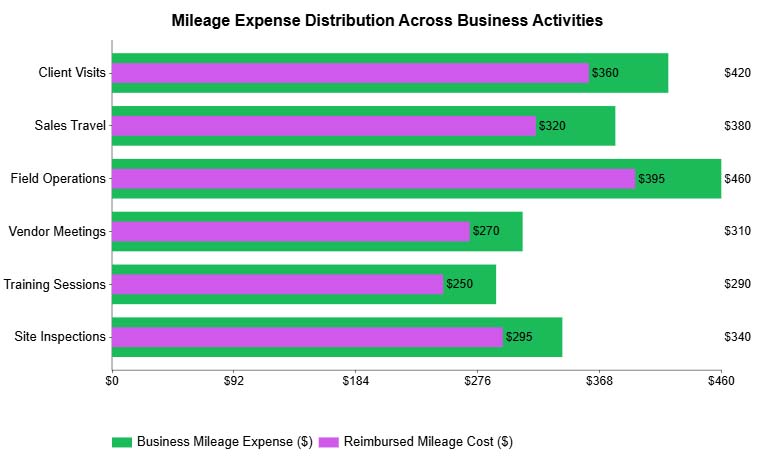
An overlapping bar chart is great for side-by-side checks. They compare out-of-pocket travel versus reimbursed amounts, which fits well with a mileage tracker template Google Sheet.
A Google Sheet Expense Tracker Template is quick to build in Sheets when control matters. The layout can mirror your categories and still stay compatible with Google Spreadsheet templates used for planning.
Follow these steps:
Logging is step one. The value shows up when the sheet is reviewed for trends, spikes, and category drift that pushes budgets off track.
ChartExpo can turn rows into charts that call out comparisons and outliers with less setup. That helps when the tracker supports project tracking in Google Sheets, and stakeholders need a fast read.
Why use ChartExpo?
How to install ChartExpo in Google Sheets?
Consider we have the following data for the Multi Axis Line Chart.
| Month | Marketing Spend | Office Supplies | Software Subscriptions | Travel Expenses |
| Jan | 820 | 240 | 310 | 420 |
| Feb | 780 | 230 | 310 | 395 |
| Mar | 860 | 255 | 315 | 450 |
| Apr | 830 | 245 | 315 | 430 |
| May | 900 | 270 | 320 | 480 |
| Jun | 880 | 260 | 320 | 460 |
| Jul | 920 | 280 | 325 | 500 |
| Aug | 900 | 275 | 325 | 490 |
| Sep | 950 | 295 | 330 | 520 |
| Oct | 930 | 285 | 330 | 510 |
| Nov | 980 | 305 | 335 | 550 |
| Dec | 1,020 | 320 | 340 | 600 |
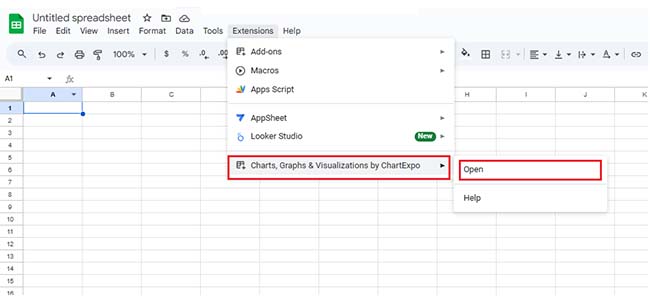
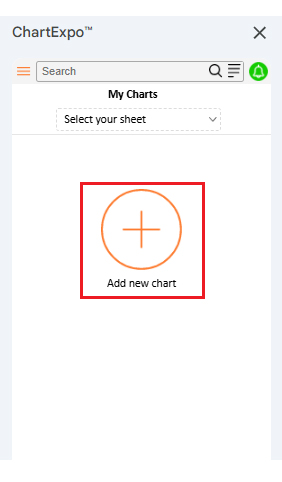
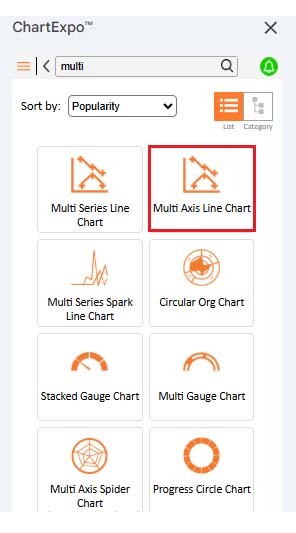
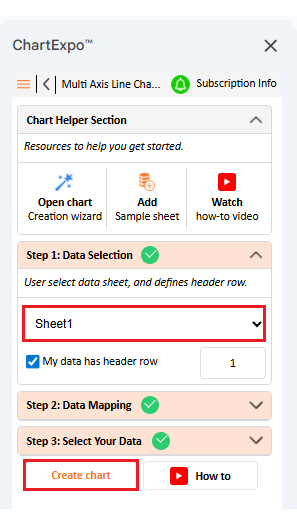
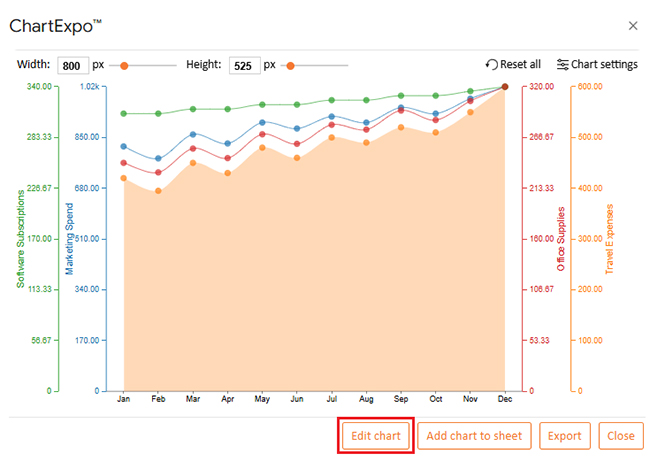
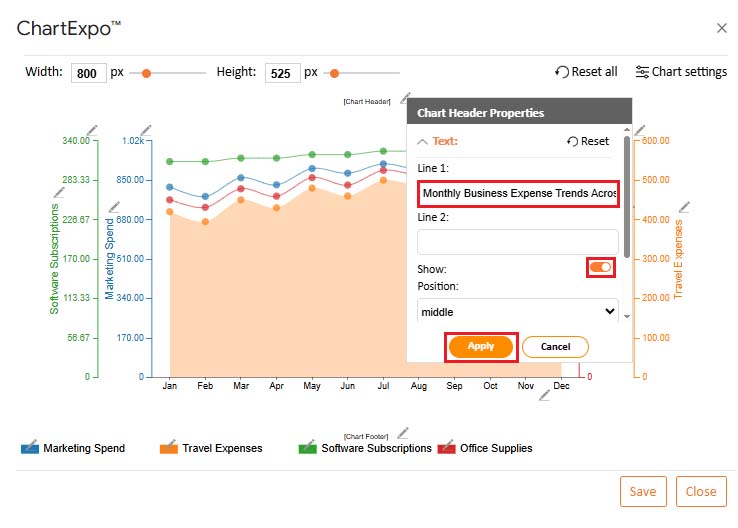
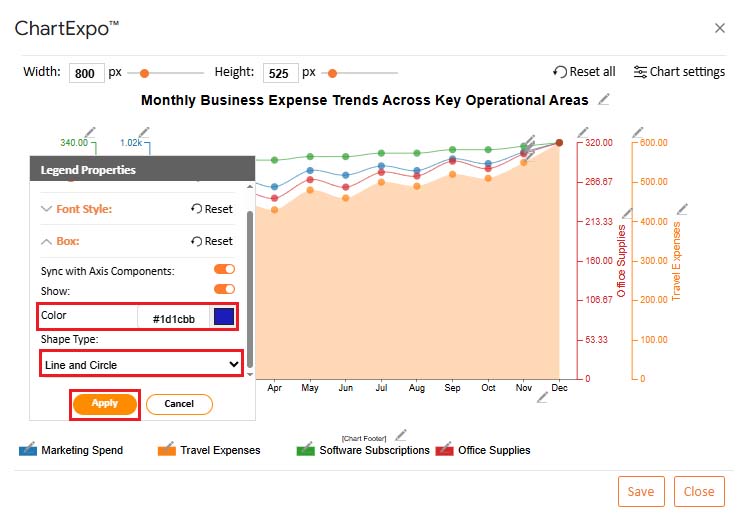
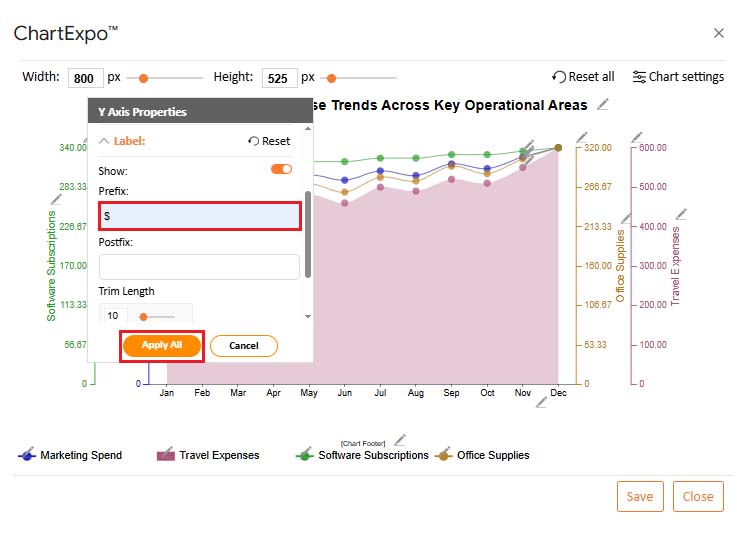
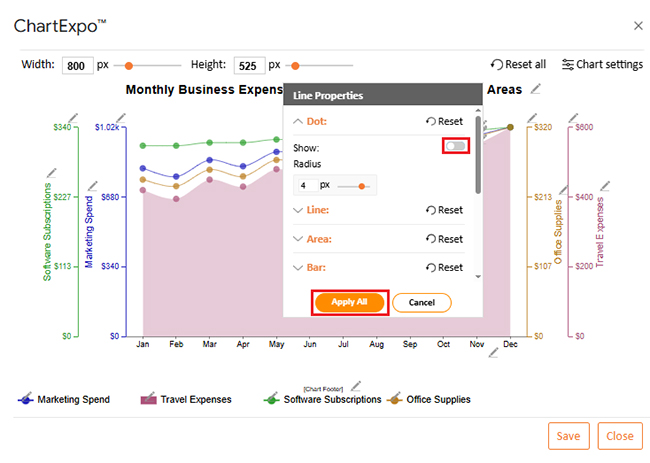
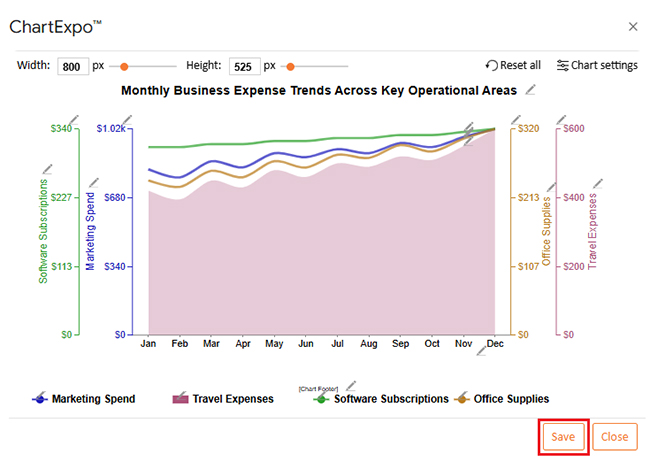
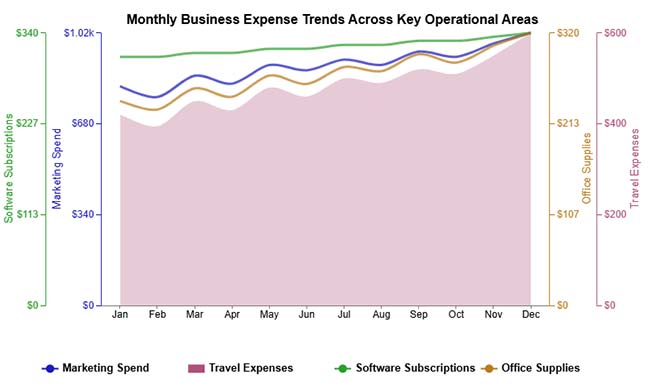
Benefits show up when surprises drop, and reviews get faster. With a Google Sheet Expense Tracker Template, one file can log, check, and plan. It also supports sharing and audit trails.
Benefits that show up fast:
This setup can sit beside related sheets, like a debt tracker in Google Sheets, without changing the core layout or formulas.
|
Feature |
Google Sheets Expense Tracker Templates |
ChartExpo |
| Ease of setup | Simple spreadsheet setup | Add-on based |
| Customization options | Manual customization | Advanced controls |
| Visual reporting quality | Basic charts | Insight-focused visuals |
| Built-in analytics and insights | Limited | Advanced |
| Automation and scalability | Moderate | High |
| Error handling and data validation | Manual | Automated |
| Best use case | Expense tracking | Deep data analysis |
A Google Sheet Expense Tracker Template only stays useful if it stays clean. A few habits keep the tracker accurate, searchable, and ready for reviews.
Habits to follow:
Transactions are entered as rows, and formulas update totals as soon as amounts change. Categories and dates let the sheet group be spent by month, vendor, or purpose.
Sheets keeps data visible and portable, and it avoids subscriptions. It also plays well with custom categories and team sharing when that is needed.
Yes. Categories, formulas, and dashboards can be changed without breaking the basic log. Keep the core columns stable, and the rest can evolve.
An expense tracker gets results when it’s used, not admired. A Google Sheet Expense Tracker Template keeps entries tidy, totals current, and summaries ready for review.
Copy the layout each month, lock key formulas, and use validation lists so categories stay consistent. Charts turn raw rows into signals, and ChartExpo can speed up that visualization work when default charts fall short.
Review totals weekly, export a snapshot, and adjust budgets before leaks become problems. Save receipts as notes for audits. A Google Sheet Expense Tracker Template should be simple to maintain. That is the point of a Google Sheet expenses tracker.
How much did you enjoy this article?


SUMPRODUCT in Google Sheets handles multi-condition calculations without extra columns. Master its syntax, uses, and errors. Read on!
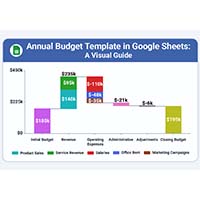
An annual budget template in Google Sheets organizes your yearly finances, tracks every dollar, and reveals spending patterns. Read on!
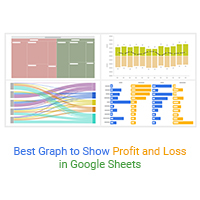
Learn the best graph to show profit and loss with practical examples and use cases. Discover how to visualize your business data, track trends, and make smarter financial decisions.