Categories

Subscription growth gets harder to manage when revenue, churn, adoption, and retention live in separate reports. Teams lose time, decisions slow down, and warning signs surface late.
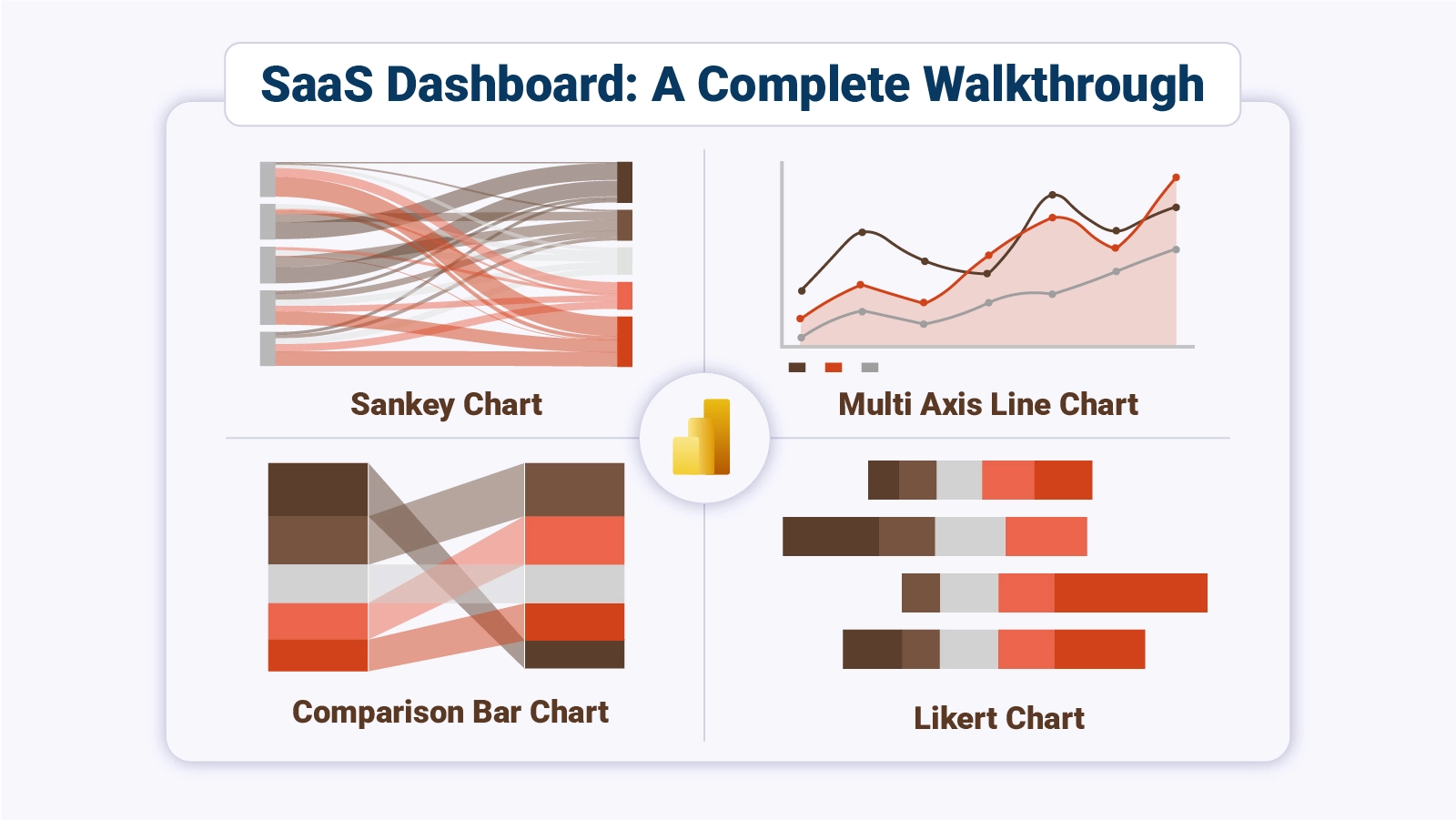
A single reporting view pulls the business into focus, so leaders can spot movement, compare trends, and act before small issues become costly problems.
Dashboard for SaaS gives teams one place to review core metrics, compare performance, and guide daily choices. This guide breaks down what it is, which metrics matter, how teams apply it, and how to build one in Power BI with a practical workflow you can follow from start to finish.
Definition: Dashboard for SaaS brings revenue, retention, acquisition, and usage signals into one operating view for subscription teams. Instead of checking separate reports, leaders can track what changed, where it changed, and which metric needs action first across daily sales, finance, and product discussions.
The format works like a digital dashboard that connects data sources, shows current movement, and keeps teams aligned on priorities. Dashboard for SaaS also shortens review cycles because product, finance, and growth teams can review the same trends, compare results, and respond with less delay.
Dashboard for SaaS strengthens planning because teams see risk, momentum, and gaps sooner. That visibility supports faster choices, tighter accountability, and steadier execution.
Why it matters:
Dashboard for SaaS depends on the right measures to stay useful. Focus on metrics that expose revenue health, customer value, retention, and adoption, so the team can act on movement instead of scanning vanity totals.
Track these:
Dashboard for SaaS serves different teams in different ways. The shared data stays constant, but each view highlights the signals that matter most to the group using it.
Examples make a SaaS dashboard easier to plan because real use cases show what decisions each view should support.
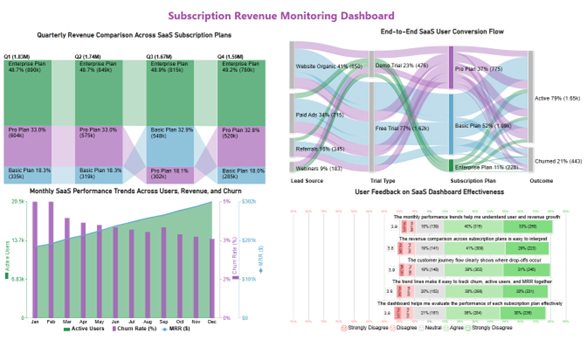
This dashboard for SaaS example centers on plan mix, conversion paths, and recurring revenue, helping teams see which subscriptions drive income and where churn patterns call for stronger retention work.
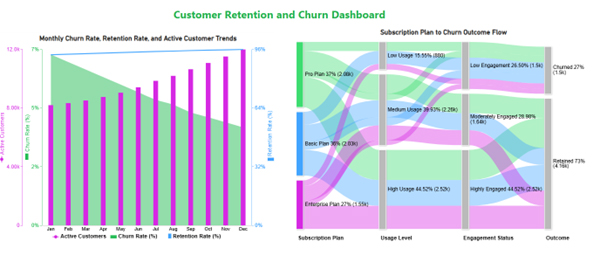
This dashboard for SaaS example highlights churn, retention, active accounts, and plan flow, showing how steady engagement and higher usage can lower overall risk across the customer base today.
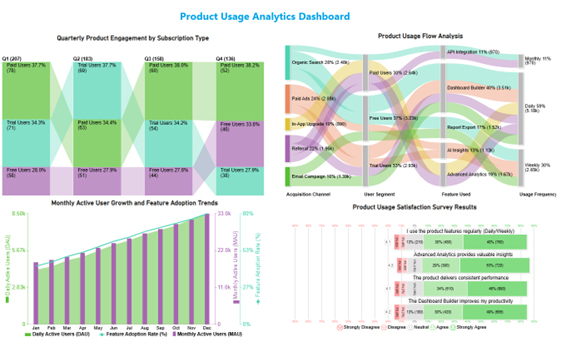
This dashboard for SaaS example tracks user movement, adoption, and feedback, showing that heavy usage and strong feature demand can shape roadmap priorities for product teams with more confidence.
Creating a SaaS dashboard in Power BI helps you track key metrics like user growth, churn rate, and revenue in one place. Follow these steps to build an effective dashboard:
Start by identifying the most important SaaS metrics, such as Monthly Recurring Revenue (MRR), Customer Acquisition Cost (CAC), churn rate, and active users. These KPIs will shape your dashboard.
Import data from relevant sources like CRM systems, billing platforms, or spreadsheets into Power BI. Ensure your data is clean and well-structured for accurate reporting.
Use Power Query to clean, filter, and organize your data. Create calculated columns or measures to track important metrics like growth rate or retention.
Select visuals that best represent your data, such as line charts for trends, bar charts for comparisons, and KPI cards for quick insights. For more advanced and interactive visuals, you can also explore tools like ChartExpo.
Design a clean layout by placing key metrics at the top and detailed visuals below. Keep it simple, intuitive, and easy to navigate for users.
At the end, include a complete dashboard image showing all key SaaS metrics visually, giving users a clear example of the final output.
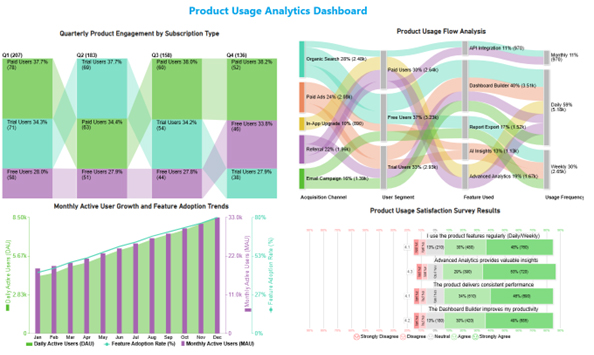
Dashboard for SaaS creates value when teams review it often and use it to direct work. It should influence routine decisions, not sit idle.
Use it this way:
Dashboard for SaaS helps teams move from scattered reporting to coordinated action. When the data stays visible, execution improves because decisions happen with less delay and less guesswork.
Key gains:
A SaaS metrics dashboard works best when the layout stays focused, and the measures fit the goal. Dashboard for SaaS should stay simple enough for teams to review quickly and trust.
Use these:
Teams often use Power BI and other BI platforms, then choose the option that fits data access, scale, sharing needs, workflow constraints, and reporting habits.
Subscription teams work better when revenue, churn, usage, and retention sit in one place. A clear reporting view reduces lag, sharpens priorities, and helps every team work from the same set of signals instead of separate reports and delayed summaries.
That shared view also cuts rework and gives teams a common reference during planning, reviews, and follow-up.
Dashboard for SaaS becomes more useful when the metrics stay focused, the layout stays simple, and the data refreshes on a steady cadence.
With the right structure, leaders can review performance faster, spot change earlier, and turn routine reporting into decisions that support growth. The result is steadier execution across the business.
How much did you enjoy this article?



Calculate accounts receivable turnover ratio to measure credit collection speed, improve cash flow, and strengthen your financial strategy. Read on!

Change Management KPIs are the key to tracking adoption, performance, and ROI during transitions. Find out which metrics matter. Read on!

Data collection methods and techniques determine the quality of every insight you act on. Explore key approaches for gathering reliable data. Read on!




