Categories

Tracking business finances without a clear system leads to missed entries, classification errors, and reports you cannot trust.
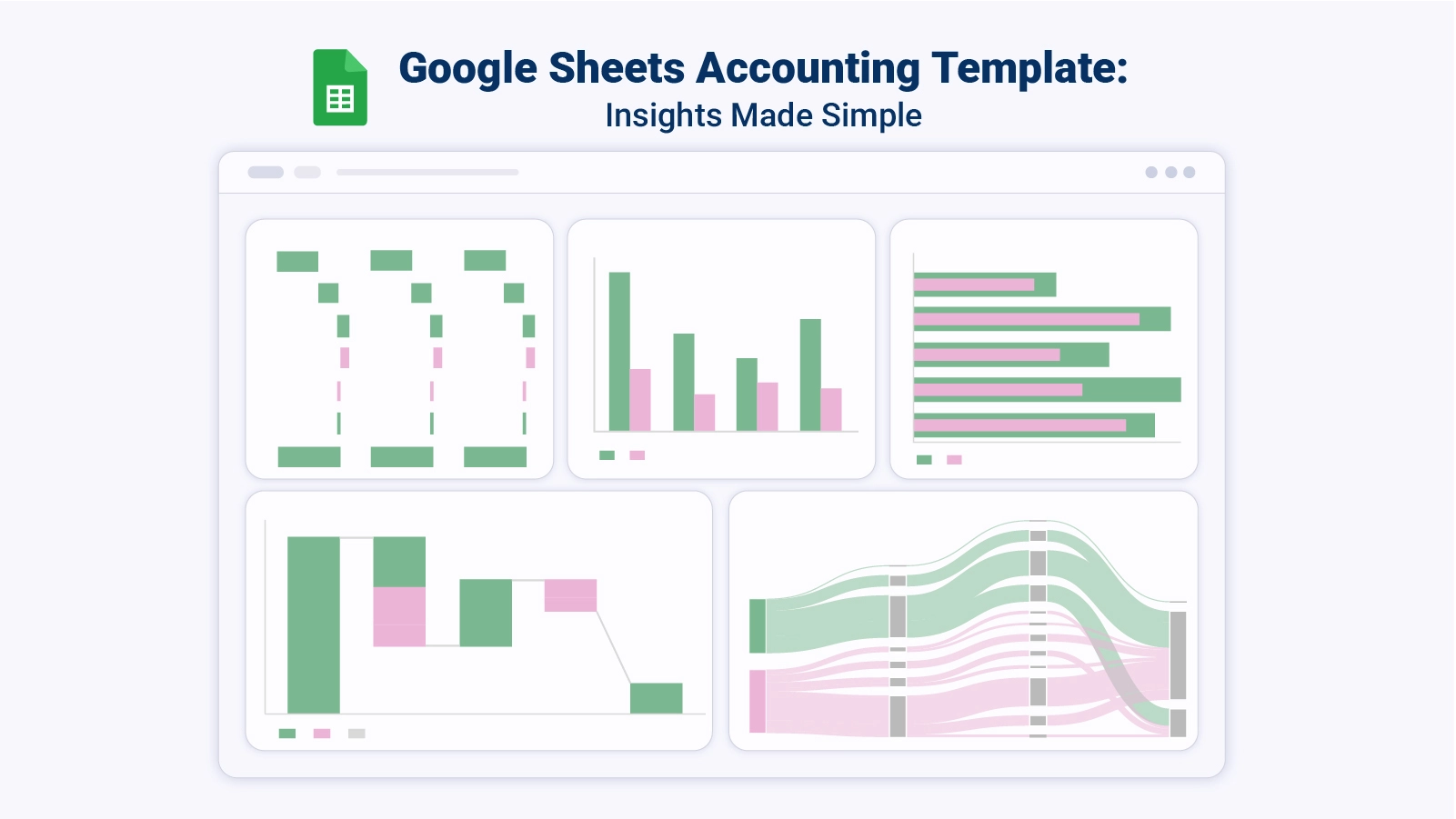
A Google Sheets Accounting Template solves this by providing a ready-made structure for recording transactions, monitoring cash flow, and generating the summaries that support sound financial decisions.
Unlike expensive software packages, it runs entirely in a browser, updates in real time, and costs nothing to use.
This blog explains what these templates are, why they matter, their core features and common types, how to build and analyze one from scratch, and practical tips that keep the system accurate and useful for the long term.
Definition: A Google Sheets Accounting Template is a purpose-built spreadsheet that gives individuals and businesses a structured foundation for managing financial data. Rather than constructing models from the ground up, users get a ready-made accounting template in Google Sheets complete with formulas, transaction categories, and summary views that streamline bookkeeping from day one.
At its core, a Google Sheets business accounting template automates key calculations while keeping financial records in a logical, searchable structure. Because it operates in the cloud, any authorized user can access and update data in real time, making teamwork on financial tasks straightforward and secure.
Disorganized financial records create blind spots that slow decision-making and invite costly mistakes. The right template brings order to transactions, automates repetitive calculations, and puts financial visibility within reach for any user.
What separates a functional spreadsheet from a powerful financial tool comes down to its built-in capabilities. The following features define a well-constructed Google Sheets Accounting Template.
No single layout fits every financial need. These are the most widely used formats, each targeting a distinct accounting goal.
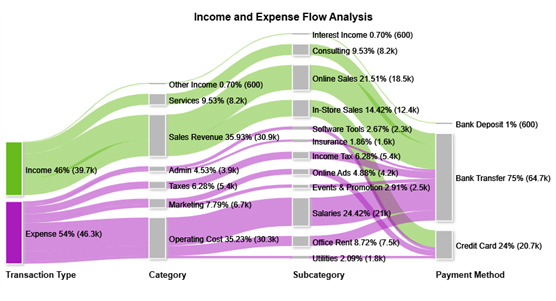
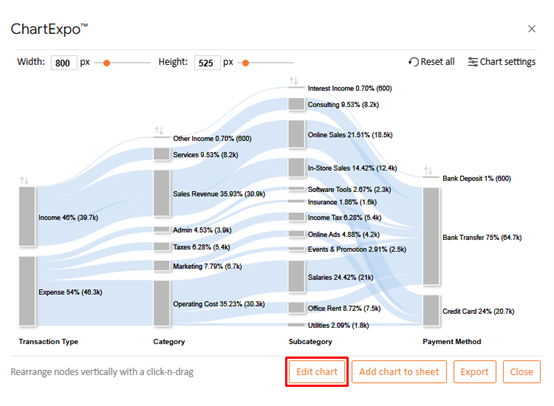
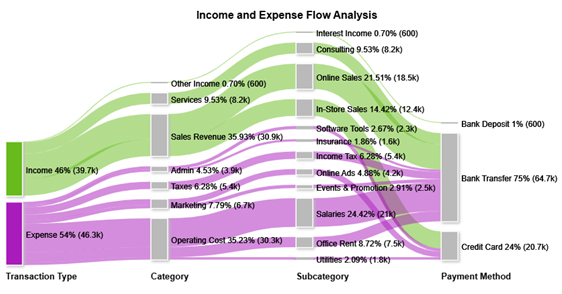
This chart maps the path of funds from income sources through expense categories and payment methods, revealing where money concentrates and where it leaks.
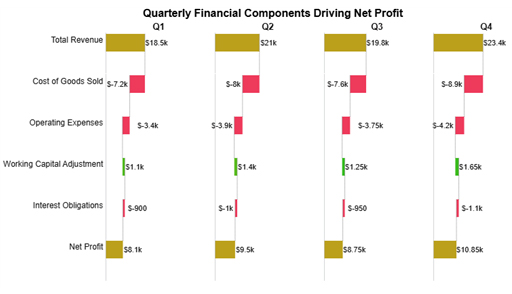
This view breaks net profit into its contributing factors, showing how revenue, direct costs, and adjustments each push the final figure up or down.
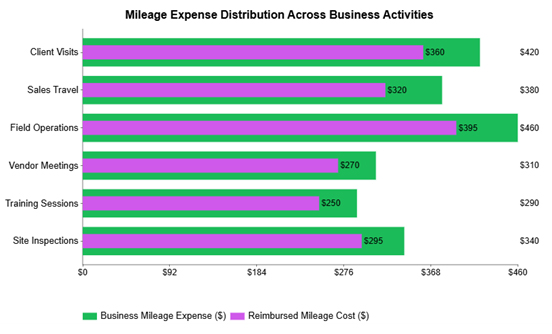
This chart compares actual mileage costs against reimbursements by department or function, making it straightforward to spot where cost recovery falls short.
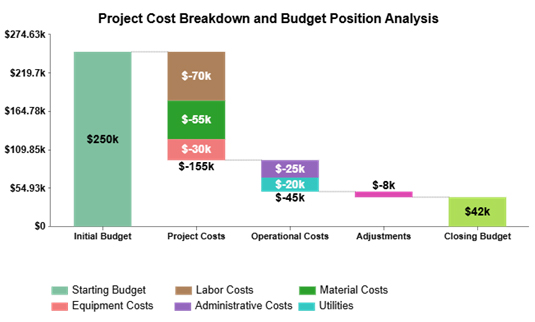
This view stacks individual cost components to show how each one contributes to the project total, directing attention to the largest drivers of expenditure.
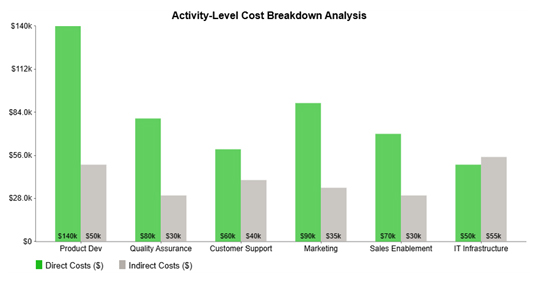
This chart places direct and indirect costs side by side for each business activity, making it easy to see which functions consume the most resources and where the cost mix shifts.
Building a Google Sheets Accounting Template from scratch requires fewer steps than most people expect. The process below walks through every key element, from opening a blank file to protecting the formulas that keep everything accurate.
Raw numbers inside a Google Sheets Accounting Template only become useful when examined with a clear method. The steps below outline a structured approach to getting meaningful insight from your financial data.
Pairing your data with a visualization add-on takes the analysis further. Charting tools convert financial records into clear visual outputs that expose trends and outliers that a spreadsheet alone cannot highlight.
Why use ChartExpo?
How to install ChartExpo in Google Sheets?
Consider we have the following data for a Sankey diagram in Google Sheets.
| Transaction Type | Category | Subcategory | Payment Method | Amount |
| Income | Sales Revenue | Online Sales | Bank Transfer | 18500 |
| Income | Sales Revenue | In-Store Sales | Credit Card | 12400 |
| Income | Services | Consulting | Bank Transfer | 8200 |
| Income | Other Income | Interest Income | Bank Deposit | 600 |
| Expense | Operating Cost | Salaries | Bank Transfer | 21000 |
| Expense | Operating Cost | Office Rent | Bank Transfer | 7500 |
| Expense | Operating Cost | Utilities | Credit Card | 1800 |
| Expense | Marketing | Online Ads | Credit Card | 4200 |
| Expense | Marketing | Events & Promotion | Bank Transfer | 2500 |
| Expense | Admin | Software Tools | Credit Card | 2300 |
| Expense | Admin | Insurance | Bank Transfer | 1600 |
| Expense | Taxes | Income Tax | Bank Transfer | 5400 |
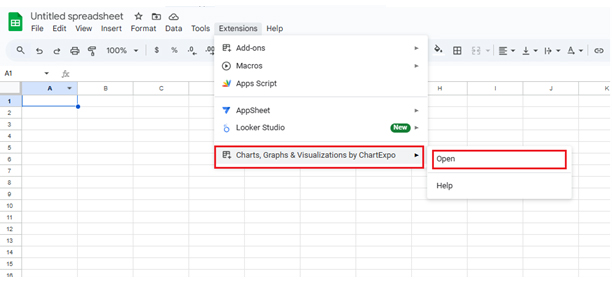
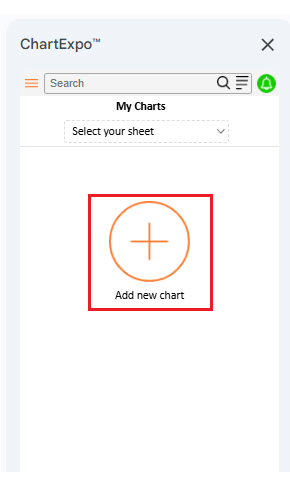
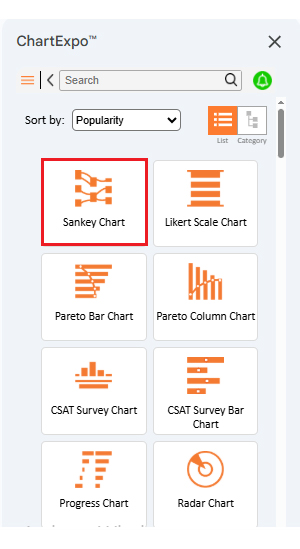
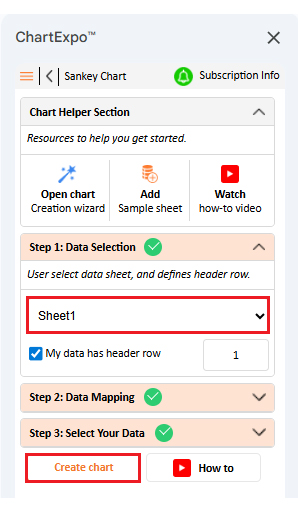
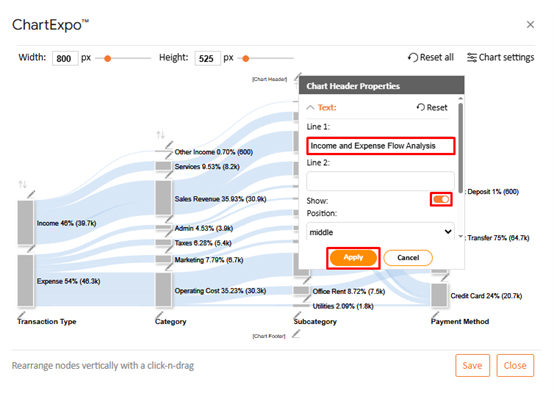
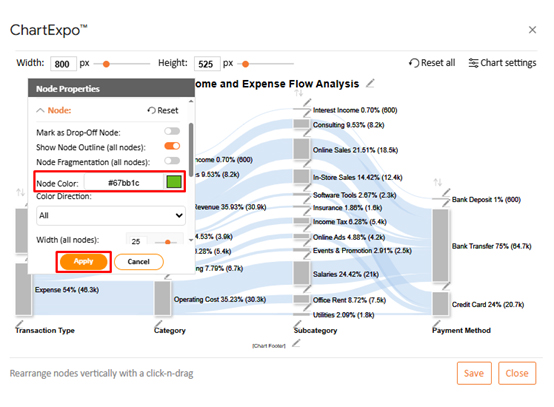
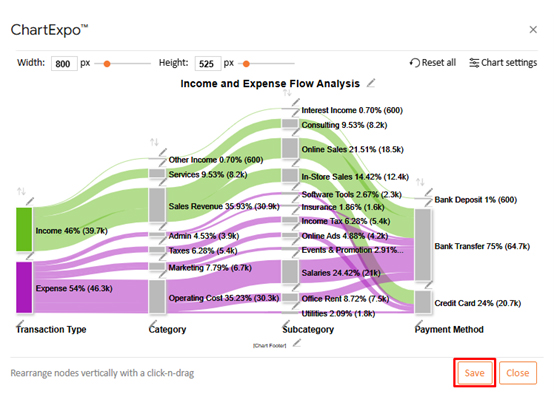
Most users start with an existing template rather than building from scratch. The steps below cover the quickest path from discovery to a fully customized, working file.
A well-configured Google Sheets business accounting template does more than save time. It shifts the way a business operates by making financial information accessible, accurate, and actionable.
Even a well-designed template underperforms when the underlying habits are weak. These practical tips help maintain accuracy and usability in your Google Sheets Accounting Template over time.
Yes. Built-in template options cover basic bookkeeping and budgeting needs, and many users also build custom Google Sheets Accounting Template structures suited to their workflows.
Begin by defining income and expense categories, then build data-entry columns for each transaction. Add formulas to automate totals, and round out the system with a summary dashboard using an accounting template in Google Sheets as the foundation.
For most small businesses, yes. A Google Sheets Accounting Template handles expense tracking, revenue monitoring, and basic financial reporting without the overhead of dedicated accounting software.
A Google Sheets Accounting Template provides the structure every financial tracking effort needs, from organized transaction records and automated calculations to period summaries and collaborative access. It removes the cost and complexity of dedicated software while keeping financial data visible, consistent, and ready for review at any point in the operating cycle.
Adding a visualization tool to the workflow takes analysis further by converting tabular data into charts that highlight spending patterns and income trends at a glance. Combined with regular updates, protected formulas, and disciplined category naming, these practices keep the template performing reliably as the business grows and financial needs evolve.
How much did you enjoy this article?


SUMPRODUCT in Google Sheets handles multi-condition calculations without extra columns. Master its syntax, uses, and errors. Read on!
An annual budget template in Google Sheets organizes your yearly finances, tracks every dollar, and reveals spending patterns. Read on!
Learn the best graph to show profit and loss with practical examples and use cases. Discover how to visualize your business data, track trends, and make smarter financial decisions.